
A VPN sits between you and everything you do online. That's the whole point — and it's also the risk. Whatever your internet provider used to be able to see, your VPN provider can now see instead. So the question with a free VPN isn't really "is it free?" It's "who is paying for the servers, and what are they getting in return?"
Some free VPNs are safe. Some are worse than using no VPN at all. Here's how to tell them apart, including how we answered these questions for our own free plan on Orbit VPN.
How a free VPN pays for itself
Servers and bandwidth cost money every month. A free VPN covers that bill in one of four ways:
- Selling or sharing data about what you do. The service is free because your browsing is the product.
- Injecting ads or trackers into the pages you visit. The app changes your traffic on the way through.
- Reselling your connection. Your device becomes an exit point for other people's traffic.
- A limited free plan, paid for by a paid plan. Free users get fewer locations or less time; paying customers fund the servers. There may be ordinary in-app ads as well.
Only the last model keeps the provider's interests lined up with yours. The first three make money by doing the exact thing you installed a VPN to prevent.
This isn't a theoretical worry. A widely cited 2016 study of 283 Android VPN apps by researchers at CSIRO found that 18% didn't encrypt traffic at all and 38% showed signs of malware. App stores are stricter today, but the incentive that produced those apps hasn't gone away.
7 checks before you trust a free VPN
1. Can you tell how it makes money?
Look for a paid plan with a real price. If there's no Premium tier, no visible business and no explanation, assume the product is you.
2. Does the privacy policy say what's kept — not just what isn't?
Every VPN has to keep something: enforcing a free-time limit or a device limit is impossible otherwise. An honest policy lists what's never recorded, then lists what is kept, for how long, and why. "Zero logs" with no detail behind it is marketing.
3. Does it work without handing over your identity?
The less a free plan asks for, the less there is to leak or sell. A free VPN that works with no account, no email and no card can't tie your browsing to a name it never collected.
4. Is it using a real, modern protocol?
For apps, look for WireGuard (or OpenVPN or IKEv2). For browser extensions, look for an encrypted TLS connection to the provider's servers. Avoid anything that won't say how it connects.
5. Does it stop leaks?
A browser extension needs a WebRTC leak shield, or sites can still see your real IP address. An app needs a kill switch — on Android, that means working with the system's Always-on VPN setting. We explain both in VPN extension vs VPN app.
6. Is it honest about where its servers are?
A list of 200 countries doesn't mean 200 countries' worth of hardware. Many are virtual locations: you get an IP address registered in that country while your traffic runs through a server somewhere else. That's a normal, legitimate technique — but the app should label it, so you always know where the server really is.
7. Where do the ads and the payments go?
Ads shown inside an app are one thing; ads injected into the websites you visit are something else entirely. Check which you're getting. And if you upgrade, your card details should be handled by a payment processor such as Stripe or Google Play — never typed into the VPN's own form — with a refund policy you can find in one click.
Limits are a good sign
It sounds backwards, but a free plan with clear limits is more reassuring than an unlimited one. A cap on time, data or locations tells you the free tier is a way to try the service, funded by people who pay for more. "Unlimited, free, forever, no ads" raises the question from the top of this article all over again.
How Orbit VPN's free plan measures up
We'd rather show the trade-offs than hide them. This is what the free plan is, and what it costs you:
- The business model is Premium. Paid plans are $6.99 a month, $47.99 a year or $71.99 every 2 years, each with every location, unlimited time, no ads and up to 5 devices at once.
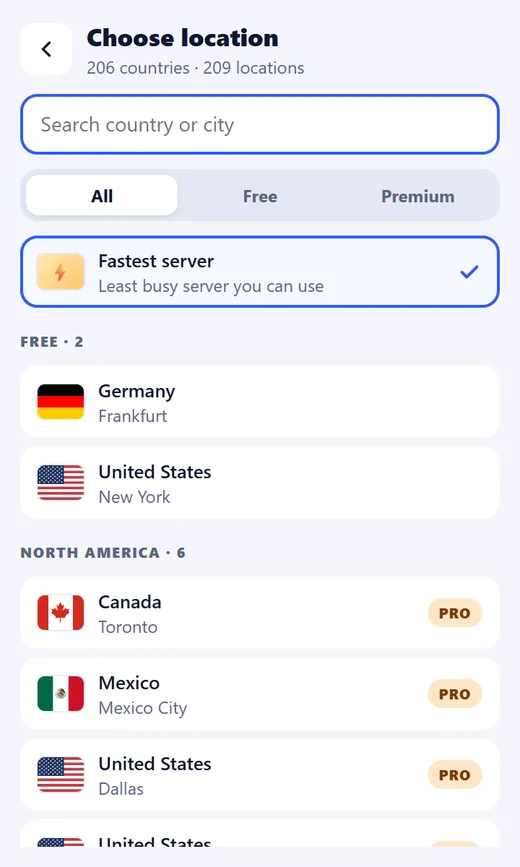
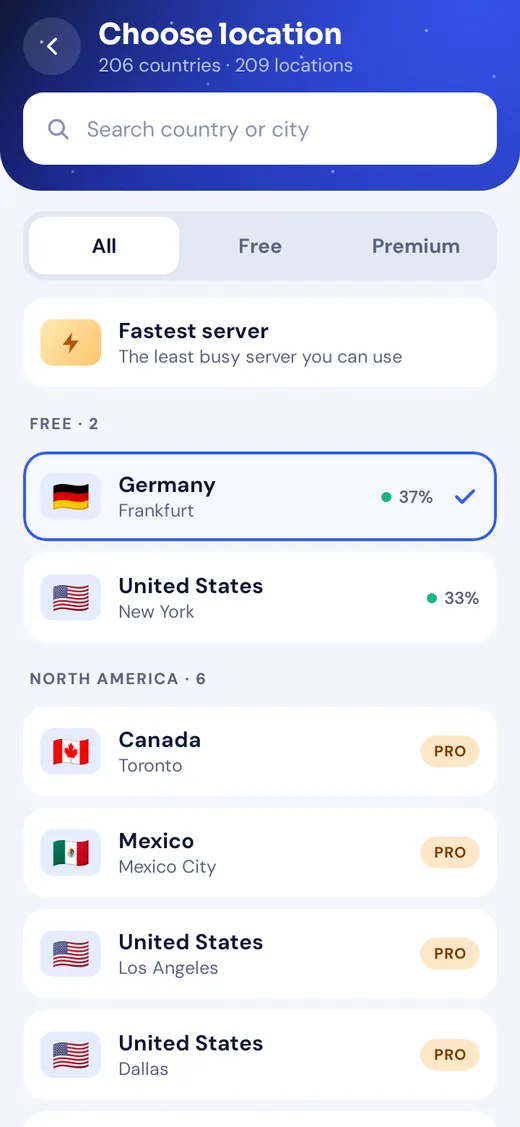
- The free plan has clear limits: 2 locations, 60 minutes a day.
- No account, no email and no card to start. The app is recognised by a random ID it creates the first time it opens.
- Never recorded: the websites and apps you use, the content of your traffic, your DNS lookups, and the IP address you connect from.
- Kept, and why: which server you used, when, and how much data — for 30 days — so the free time limit and the device limit can work. Your email, only if you create an account.
- Ads, and where: the Android app shows ads to people on the free plan, and watching a short one adds 60 more minutes. The browser extension never shows ads, and Premium has none.
- Leak protection isn't held back for Premium — the extension's WebRTC shield is on by default, and the Android app works with Always-on VPN.
- Locations are labelled. Our own servers run in 25 cities; every other country is marked as virtual in the apps.
- We never see your card number. Stripe handles payments on the website and Google Play handles them in the Android app. Every payment has a 14-day refund.
When it's worth paying
Stay on a free plan if you use a VPN now and then — on a café's Wi-Fi, in an airport, for an hour's browsing. Pay when you want it on all day, need a specific country, or want your laptop and phone covered together. And whichever you choose, run the seven checks first: a VPN you can't trust is worse than no VPN at all.
The Chrome Web Store, Edge Add-ons and Google Play listings for Orbit VPN are launching soon — you can create a free account at vpn.orbittechlab.com now and log in the day the apps arrive. New to all this? Read what a VPN is and whether you need one, or see Orbit VPN alongside our other products.