VPN adverts promise a lot: total anonymity, "military-grade" protection, an internet where nobody can see you. Almost none of that is how a VPN really works. What a VPN does is narrower, easier to explain, and — in the right situations — genuinely useful.
This guide covers what a VPN changes, what it leaves exactly as it was, and how to decide whether you need one. We wrote it while building our own, Orbit VPN Orbit Call AI, so it comes with the caveats we'd want a customer to know.
What a VPN actually does
A VPN (virtual private network) creates an encrypted tunnel between your device and a server run by the VPN provider. Your traffic goes through that tunnel first, and only then out to the website or app you're using. Two things change as a result:
- Websites see the VPN server's IP address, not yours. Your IP address is the number that identifies your connection and roughly where you are. With a VPN on, the site sees the server's address and location instead.
- The network you're on can't see where you're going. Your internet provider, or whoever runs the Wi-Fi, sees one encrypted connection to a VPN server — not the list of sites behind it.
That's it. Everything else a VPN is said to do is a consequence of those two things.
"Isn't the web already encrypted?"
Mostly, yes. The padlock in your browser means the page is loaded over HTTPS, so nobody on the network can read what's on it or what you type into it. That's a huge improvement over a decade ago, and it's why a VPN is no longer a must-have for every connection.
But HTTPS hides the content of a page, not the fact that you visited it. The network you're on can still usually see which sites you connect to, and every site you visit still sees your IP address. Those are the two gaps a VPN closes.
What a VPN does not do
This is the part the adverts skip. A VPN will not:
- Make you anonymous. If you're logged in to an account, that service knows it's you. Cookies and browser fingerprinting work the same with or without a VPN.
- Stop phishing or malware. A fake login page is just as fake through a tunnel. You still need to check the address bar and keep your software updated.
- Remove the need to trust someone. A VPN moves your trust from your internet provider to your VPN provider. Their server now sees what your provider used to see — which is why the provider's logging policy matters more than any other feature.
- Protect apps it isn't covering. A browser extension protects the browser. A full app protects the whole device. We explain the difference in VPN extension vs VPN app.
Five situations where a VPN is worth switching on
1. Public Wi-Fi
Cafés, airports, hotels and trains all put you on a network run by someone you've never met, shared with people you can't see. A VPN means that network sees nothing but an encrypted connection. Our public Wi-Fi safety checklist covers the rest.
2. Networks you share but don't control
Student halls, rented flats, co-working spaces — whoever administers the router can see which sites every device visits. A VPN takes that view away from them.
3. Keeping your IP address to yourself
Every site you visit receives your IP address, and with it an approximate location. If you'd rather a forum, a comment section or an advertiser didn't have that, a VPN hands them the server's address instead.
4. Keeping your browsing away from your internet provider
Your provider sits between you and everything you do online. With a VPN on, what they see is the amount of data you used and the server you sent it to.
5. Travelling
Abroad, you're on unfamiliar networks most of the day. A VPN gives you the same protected connection in every hotel and airport lounge, and lets you connect through a server in the country you choose.
When you probably don't need one
Honesty matters here. If you're at home on your own router, using banking and shopping sites over HTTPS, a VPN adds little. And if what you want is to stay hidden from a service you're signed in to, a VPN can't help — that service identifies you by your account, not your IP address.
How to choose a VPN you can trust
Because a VPN provider sees what your internet provider used to see, you're choosing who to trust. Check these before you install anything:
- A logging policy in plain words. It should list what is never recorded and what is kept, for how long, and why. "No logs" with no detail is a slogan, not a policy.
- A modern protocol. WireGuard is the current standard for VPN apps — fast, and built on modern cryptography.
- Leak protection. A WebRTC shield in a browser extension, and a kill switch in an app, so your real IP address doesn't slip out.
- Honest server locations. Many "countries" in a VPN app are virtual: you get an IP address registered there while the server sits somewhere else. That's fine, as long as the app tells you.
- A clear price and a refund. You should know what Premium costs, what's included, and how to get your money back.
If you're looking at a free plan, there's one more question — how the service pays for itself. We cover that in are free VPNs safe?
Where Orbit VPN fits
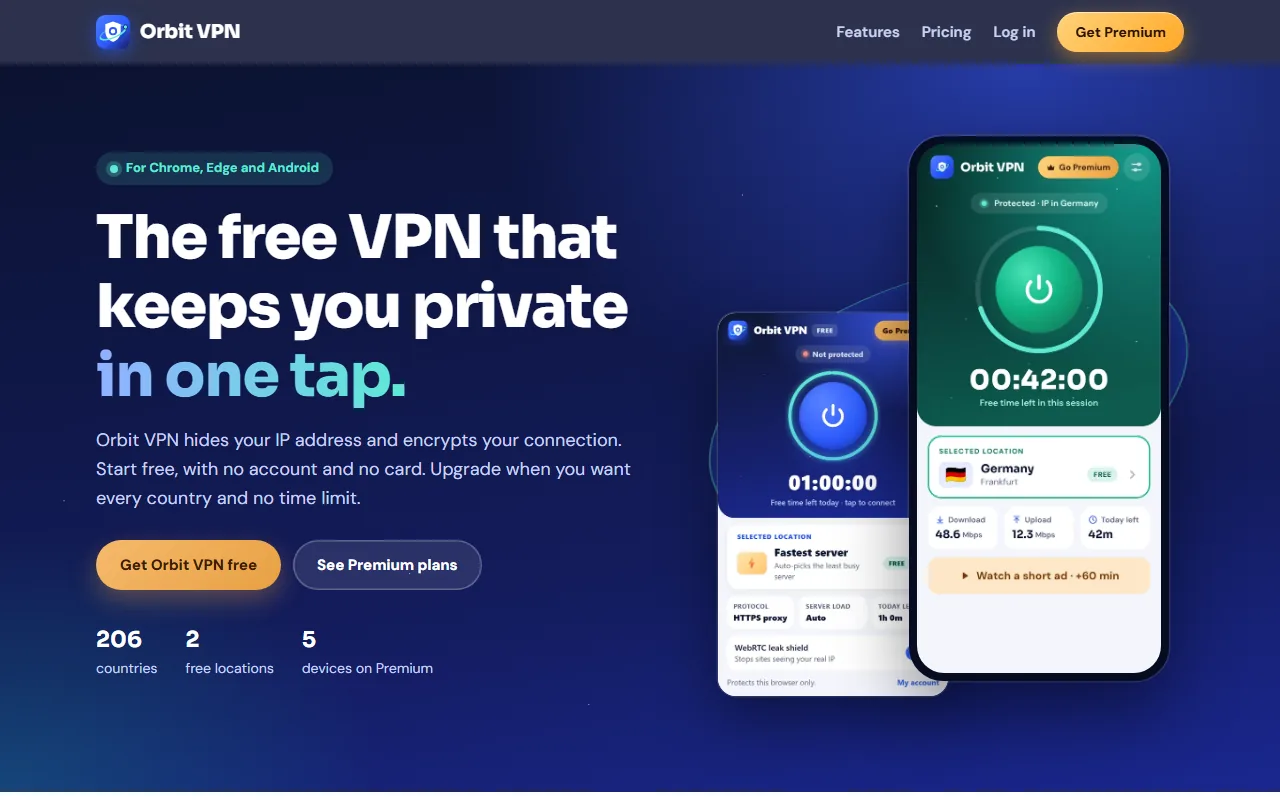
We built Orbit VPN to be the VPN we'd be comfortable recommending with all of the above said out loud. It comes as two apps on one account: a browser extension for Chrome and Microsoft Edge that protects your browser traffic, and an Android app that protects your whole phone through a WireGuard tunnel.
- One tap to connect — it picks the least busy server you can use.
- No activity logs — the sites you visit, the content of your traffic, your DNS lookups and the IP address you connect from are never recorded. A small connection record (which server, when, and how much data) is kept for 30 days so the free time limit and the device limit can work.
- 206 countries, clearly labelled — our own servers in 25 cities, with every virtual location marked as virtual.
- Free without an account — 2 locations for 60 minutes a day, no sign-up and no card. Premium adds every location, unlimited time and up to 5 devices, with a 14-day refund.
The Chrome Web Store, Edge Add-ons and Google Play listings are launching soon — you can create a free account now and log in with it the day the apps arrive. See Orbit VPN alongside our other products.